

![echo $callnow_phoneicon['title']](https://mistersparkymyrtlebeachsc.com/wp-content/uploads/2017/11/emergency-electrician-in-north-myrtle-beach-sc-phone-icon.png) 843.213.6610
843.213.6610 Book Now!
Smart Dimmer Setup Without Flicker or Hum
Imagine coming home to a perfectly lit environment in Myrtle Beach, SC, where the ambiance adjusts with just a touch, thanks to a smart dimmer setup. This modern convenience offers not just control over lighting intensity but also the promise of energy savings and extended bulb life. However, achieving a flicker-free and noiseless operation requires choosing the right dimmers and LEDs, understanding the wiring steps, and fine-tuning the settings. It’s a process that, when done correctly, elevates the comfort and functionality of any space.
Residents of Conway, SC, and surrounding areas are increasingly embracing smart home technologies, with smart dimmer setups leading the way in lighting innovation. Yet, without proper compatibility between dimmers and light bulbs, one might encounter annoying flickers or hums. This is why understanding the nuances of product selection and setup is crucial. Ensuring compatibility from the start can save a lot of frustration and unnecessary adjustments down the line.
The key to a successful smart dimmer setup lies in meticulous planning and execution. From selecting the right products to following the correct wiring steps, each phase is pivotal. Not only does this approach prevent common issues like flickering or humming, but it also safeguards your home’s electrical integrity. For homeowners in Myrtle Beach, SC, and beyond, this means enjoying the benefits of smart lighting without any drawbacks.
Lastly, fine-tuning your smart dimmer setup’s settings can make all the difference in achieving that seamless operation. Whether you’re in Conway, SC, looking to enhance your home’s lighting or elsewhere, understanding the importance of this final step is vital. It’s about more than just installing smart technology, it’s about optimizing it for your unique space. With the right approach, you can enjoy the perfect lighting ambiance, free from flicker or hum, every day.
Understanding Smart Dimmer Setup Compatibility
Understanding the compatibility between smart dimmers and LEDs is the first step toward a successful smart dimmer setup. In Myrtle Beach, SC, homeowners are finding that not all lighting options work seamlessly together. It’s essential to check that your dimmer and light bulbs are designed to function as a pair. This compatibility minimizes the risk of flickering lights and annoying humming sounds, ensuring a smooth and quiet operation.
Next, it’s crucial to delve into the specifications of your chosen products. Both dimmers and the LED lights should have clear indications of their compatibility. Manufacturers often list compatible models on their packaging or websites. By paying close attention to these details, residents in Conway, SC, and beyond can avoid the common pitfalls of mismatched lighting components.
After ensuring compatibility, the wiring process is the next critical step. Proper wiring is not just about making connections, it’s about securing those connections to prevent any electrical mishaps. This involves following the manufacturer’s instructions to the letter and, when in doubt, consulting with a professional. This careful approach not only guarantees the safety of your home’s electrical system but also contributes to the longevity of your smart dimmer setup.
Finally, adjusting the settings on your smart dimmer is key to achieving the perfect lighting ambiance. Every home has its unique lighting needs, and smart dimmers offer the flexibility to meet those needs precisely. By fine-tuning the settings, homeowners can ensure their lights illuminate their spaces without flicker or hum. This last step completes the smart dimmer setup, allowing for a tailored lighting experience that enhances the comfort and aesthetic of any space.
Choosing the Right LEDs for Your Smart Dimmer
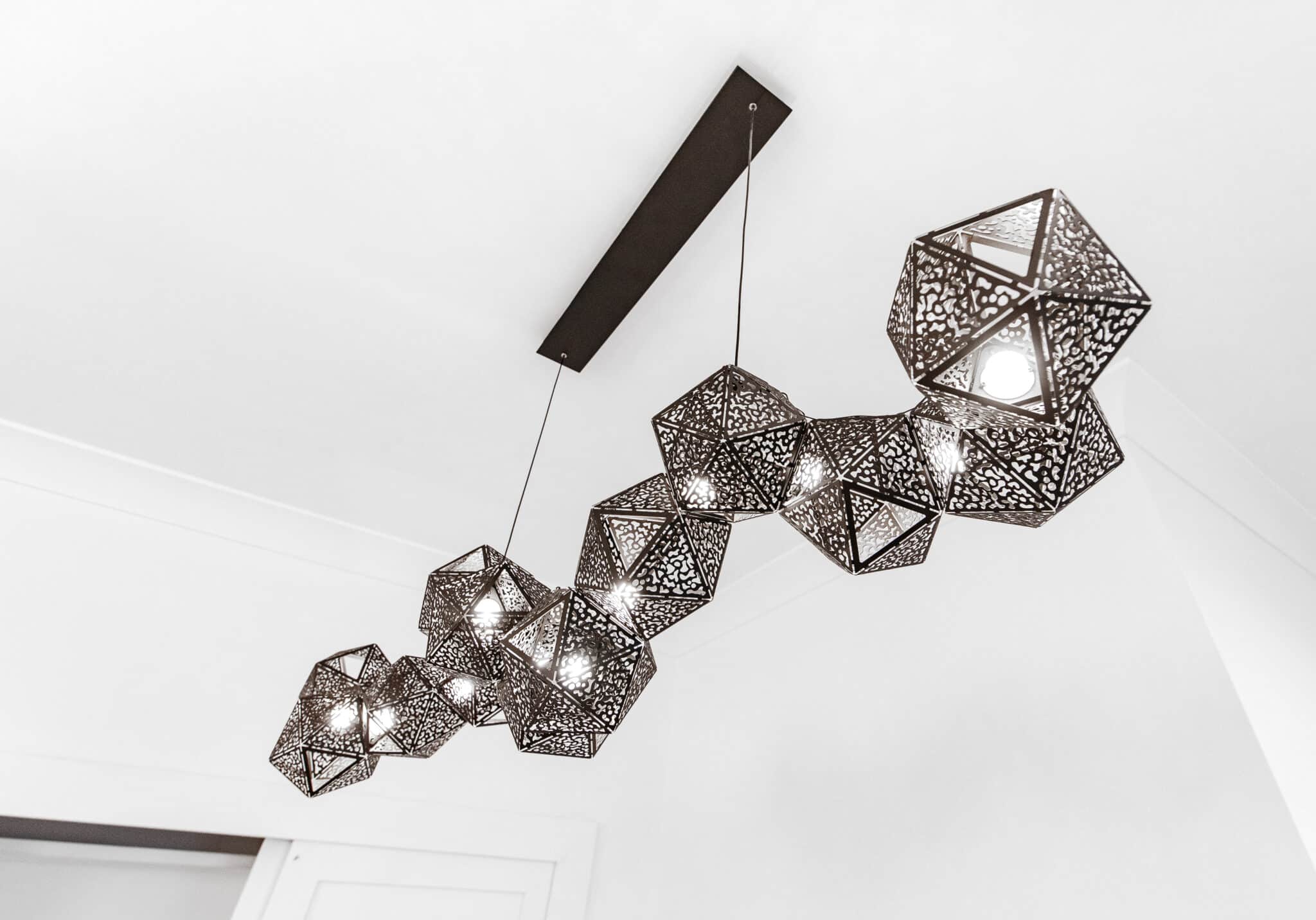
Choosing the right LEDs for your smart dimmer setup is crucial in ensuring that the lighting in your home is both efficient and visually pleasing. When selecting LEDs, it’s important to look for bulbs that specifically mention their compatibility with dimming technology. This ensures that the bulbs will not only dim smoothly but also maintain their brightness levels without flickering. In Myrtle Beach, SC, homeowners can find a wide range of compatible LEDs that match their smart dimmer specifications.
Another key factor to consider is the color temperature and brightness of the LEDs. Different rooms may require different lighting atmospheres, from warm, cozy glows to bright, energizing lights. By choosing LEDs with adjustable color temperatures, you can customize each room’s ambiance to match its specific purpose or mood. This flexibility allows residents in Conway, SC, to create a personalized lighting environment that enhances their home’s aesthetic and functional appeal.
Energy efficiency is also a significant consideration when selecting LEDs for your smart dimmer setup. LEDs that are energy-efficient not only reduce your home’s overall energy consumption but also lower your electricity bills. Look for bulbs with a high lumens-per-watt ratio, as this indicates that the bulb provides more light while using less power. This choice supports sustainable living practices, making it a smart investment for environmentally conscious homeowners.
Lastly, the longevity of the LEDs plays a vital role in the overall success of your smart dimmer setup. Opting for LEDs with a long lifespan minimizes the need for frequent replacements, ensuring your smart lighting system remains hassle-free for years to come. With the right LEDs in place, you can enjoy a flicker-free and noiseless lighting experience that adds both comfort and value to your home.
Step-by-Step Wiring Guide for Smart Dimmer Installation
After selecting the right LEDs for your smart dimmer setup, the next crucial step is the wiring process. This involves carefully connecting the dimmer switch to your home’s electrical system. It’s important to turn off the power at the circuit breaker to ensure safety during installation. Once the power is off, you can proceed to connect the wires according to the dimmer’s instruction manual.
When wiring your smart dimmer, it’s essential to match the wire colors correctly. Typically, this means connecting black wires to black wires, white wires to white wires, and green to the ground. Secure connections are crucial for the system to work properly and safely. After making the connections, carefully tuck the wires into the electrical box and mount the dimmer to the wall.
Testing the smart dimmer setup is a critical step before considering the job done. After restoring power at the circuit breaker, turn on the dimmer switch to check for proper operation. This test ensures that the lights dim smoothly without flickering or producing any noise. If everything works as expected, you can proceed to adjust the settings to your preference.
Finally, adjusting the settings on your smart dimmer allows you to customize the lighting to suit your needs perfectly. Many smart dimmers come with a mobile app or remote control for easy adjustments. You can set the desired brightness level for different times of the day or for specific activities. This customization enhances the ambiance of your home and maximizes the benefits of your smart dimmer setup.
Configuring Your Smart Dimmer for Optimal Performance
After ensuring your smart dimmer and LEDs are correctly wired and installed, configuring your setup for optimal performance is the next vital step. In Myrtle Beach, SC, homeowners can achieve the perfect lighting by accessing the dimmer’s settings through a mobile app or control panel. Here, you can adjust the brightness levels to match your daily activities or set schedules for automatic adjustments. This flexibility allows for a customized lighting experience that enhances both comfort and efficiency.
One common issue that can arise without proper configuration is the persistence of flicker or hum. By fine-tuning the dimmer settings, you can eliminate these annoyances, ensuring your lights operate smoothly and quietly. Whether you’re reading in your Conway, SC home or hosting a dinner party, the right settings make all the difference. It’s about finding that sweet spot where your lights respond perfectly to your dimmer’s adjustments.
For those looking to further refine their smart dimmer setup, exploring advanced features is a great idea. Many smart dimmers offer features like voice control integration, presence detection, and ambient light adjustments. These capabilities not only enhance the functionality of your lighting system but also contribute to a more energy-efficient home. By leveraging these features, you can ensure your lighting is always in sync with your lifestyle.
Lastly, don’t overlook the importance of regular updates and maintenance checks on your smart dimmer system. Manufacturers often release software updates that improve performance and add new features. Keeping your system up to date ensures it runs smoothly and remains compatible with the latest smart home technology. By following these steps, you can enjoy a flicker-free, noiseless, and fully customized lighting environment in your home.
Troubleshooting Common Smart Dimmer Issues
Even with a well-planned smart dimmer setup, residents in Myrtle Beach, SC, may still encounter issues such as flickering or buzzing sounds. The first step in troubleshooting these problems is to check the compatibility between your dimmer and LED bulbs. Sometimes, even products labeled as compatible might not work perfectly together due to variations in manufacturing or firmware updates. It’s crucial to consult the latest compatibility lists provided by the manufacturers to ensure your components work harmoniously.
If flickering persists, examining the electrical connections within your setup is a wise move. Loose or improperly connected wires can cause inconsistent lighting performance. Homeowners should ensure all connections are secure and correctly matched by color and type, following the guidelines detailed in the dimmer’s instruction manual. For those less comfortable with electrical work, seeking assistance from a professional electrician in Conway, SC, can provide peace of mind and ensure safety.
Adjusting the settings on your smart dimmer can also address issues of flicker or hum. Many smart dimmers allow users to calibrate the minimum and maximum brightness levels, which can significantly reduce or eliminate these problems. Experimenting with different settings might reveal the perfect adjustment for your specific lighting needs, creating a stable and pleasant lighting atmosphere in your home.
Lastly, updating the firmware of your smart dimmer and LEDs can solve unexpected issues. Manufacturers often release updates that improve performance and fix bugs that may cause flickering or noise. Regularly checking for and applying these updates ensures your smart dimmer setup remains at peak performance, providing a seamless and enjoyable lighting experience in your home.
Smart Dimmer Setup: Ensuring Flicker-Free Operation
Achieving a flicker-free operation in your smart dimmer setup begins with a thorough compatibility check. In Myrtle Beach, SC, homeowners have access to a wide range of smart dimmers and LEDs. It’s crucial to ensure these components are designed to work together seamlessly. This step is foundational in creating a stable and efficient lighting environment.
Next, attention to detail during the installation process cannot be overstated. Properly connecting your smart dimmer involves more than just matching wire colors. Ensuring all connections are secure and correctly installed prevents potential flickering and buzzing sounds. This meticulous approach guarantees the longevity and reliability of your smart lighting system.
Fine-tuning your smart dimmer’s settings is equally important in achieving optimal performance. Residents in Conway, SC, can customize their lighting to match their daily routines or specific activities. By adjusting brightness levels and other settings, you create a tailored lighting experience. This customization enhances both the functionality and ambiance of your home.
Lastly, regular maintenance and updates are key to a flicker-free smart dimmer setup. Manufacturers frequently release software updates that can improve functionality and resolve minor issues. Staying informed about these updates ensures your system operates smoothly, keeping your home’s lighting perfect. This proactive approach minimizes disruptions and maintains a serene lighting atmosphere.
The Importance of Quality Wiring in Smart Dimmer Setup
In any smart dimmer setup, the quality of wiring plays a pivotal role in ensuring the system’s efficiency and safety. Myrtle Beach, SC, homeowners recognize that proper installation prevents common issues like flickering or buzzing, which can detract from the overall experience. By adhering to the manufacturer’s guidelines and ensuring each connection is secure and correctly made, you lay a solid foundation for your smart lighting system. This attention to detail not only enhances performance but also extends the life of your setup.
Transitioning smoothly from installation to operation, the next step involves a thorough inspection of the wiring. In Conway, SC, residents understand that even a minor oversight during this phase can lead to significant problems down the line. Checking for loose connections or incorrectly matched wires is crucial. This proactive approach safeguards against potential electrical hazards and ensures the system functions as intended.
Once the wiring is confirmed to be in top condition, the focus shifts to maintaining this quality over time. Regular checks and maintenance become key components of a successful smart dimmer setup. These steps help identify any wear and tear or issues that could arise from environmental factors or aging infrastructure. By staying vigilant, homeowners can enjoy uninterrupted, high-quality lighting without the worry of unexpected disruptions.
Finally, the importance of quality wiring in a smart dimmer setup cannot be overstated. It’s the backbone that supports all other features, from dimming capabilities to integration with smart home systems. Ensuring that every aspect of the installation is done with precision and care guarantees a seamless and enjoyable lighting experience. This meticulous approach to wiring lays the groundwork for a smart dimmer setup that meets and exceeds homeowners’ expectations, providing reliable, efficient, and hassle-free operation.
Advanced Settings for Eliminating Hum in Smart Dimmers
Exploring advanced settings is a crucial step in refining your smart dimmer setup to ensure a hum-free operation. Many smart dimmers offer detailed configuration options that can significantly impact performance. By accessing these settings through a mobile app or control panel, homeowners in Myrtle Beach, SC, can adjust the dimming range to prevent low-end hum. This customization allows for a smoother and quieter lighting experience, enhancing the ambiance of any space.
In addition to adjusting the dimming range, it’s also beneficial to explore the frequency settings available on your smart dimmer. Some models allow users to change the frequency at which the lights operate, which can help eliminate hum. Experimenting with different frequencies might reveal the optimal setting that ensures your lights are both bright and silent. This level of control ensures that residents in Conway, SC, can enjoy a serene home environment without compromising on lighting quality.
Another advanced feature to consider is the use of filters or snubbers, which can be added to your smart dimmer setup. These devices are designed to suppress electrical noise, reducing hum and improving the overall stability of your lighting system. Installing a filter or snubber requires some technical knowledge, so consulting with a professional might be necessary. However, this addition can make a significant difference in achieving a noiseless operation, making it a worthwhile consideration for those seeking the perfect lighting setup.
Finally, regular monitoring and adjustment of your smart dimmer’s settings play a key role in maintaining a hum-free environment. As your lighting needs change or as new updates become available, revisiting these settings ensures your system remains optimized. Keeping your smart dimmer setup updated and fine-tuned guarantees a consistently quiet and efficient lighting experience, adding both comfort and value to your home.

Frequently Asked Questions
How to choose the right smart dimmer?
Choosing the right smart dimmer starts with checking compatibility with your current LED lights. Look for dimmers that are specifically designed for LEDs to prevent flicker and hum. It’s also important to consider the wattage rating of the dimmer to ensure it can handle your lighting load. Finally, selecting a dimmer with adjustable settings allows for fine-tuning to achieve the perfect ambiance.
What causes flicker in smart dimmer setup?
Flicker in a smart dimmer setup often stems from a mismatch between the dimmer and LED lights. Incompatible wattage ratings can lead to insufficient power delivery, causing lights to flicker. Incorrect wiring or loose connections also contribute to this issue. Ensuring all components are compatible and properly installed can significantly reduce flicker.
Can LED bulbs work with any smart dimmer?
Not all LED bulbs are compatible with every smart dimmer. It’s crucial to check the dimmer’s specifications to ensure it matches your LED lights. Some bulbs may require a specific type of dimmer to function without flicker or hum. By selecting compatible models, you can achieve a smooth, smart dimmer setup that enhances your lighting experience.
Steps for a flicker-free smart dimmer setup?
For a flicker-free smart dimmer setup, start by ensuring your dimmer and LEDs are compatible. Next, correctly wire the dimmer according to the manufacturer’s instructions. Adjust the dimmer’s settings to optimize performance and eliminate any flicker or hum. Regularly check connections to maintain a seamless, efficient lighting experience.
How to troubleshoot a humming noise?
If you hear a humming noise in your smart dimmer setup, first check for loose connections. Ensure all wires are securely fastened and the dimmer is properly installed. Sometimes, adjusting the dimmer’s settings can also eliminate the hum by optimizing performance. If the issue persists, consider consulting with a professional from Mister Sparky in Myrtle Beach, SC, to assess and resolve the problem efficiently.